Try out Hello Plugin
Allxon Octo SDK is implemented in C++ and is available for 3rd party developers to build plugins to connect devices to Allxon Portal. By using Allxon Octo SDK, you can build your own application to enhance the management and usability of your devices on Allxon Portal. We call the application "plugin".
Let’s explore Hello Plugin built by Allxon Octo SDK and learn what a plugin looks like.
Requirements
Your device must come online on Allxon Portal.
Following the steps below to get your device online on Allxon Portal:
- Register an account on Allxon Portal.
- Create a new sub-group naming as Sandbox.
- Install Allxon Agent on your device.
- Get a pairing code on your device. Then add your device to Sandbox group.
Run Hello Plugin
Download Plugin Package
Download the Hello Plugin archive for your platform. We call this archive the "plugin package"; use the tab below that matches your operating system to continue.
- Linux
- Windows
mkdir extracted_folder
tar -xf plugin-hello-X.X.X-linux-x86_64.tar.gz -C extracted_folder
Hello Plugin on Windows is available with help from our team. For the package, extraction steps, and environment notes, please contact us.
Check your platform and CPU architecture. For Linux, we only tested on Ubuntu (> 18.04) and NVIDIA Jetson (> L4T R32.6.1 ). For Windows, please contact us so we can assist with supported setups.
And you will see an extracted folder hierarchy like this:
- Linux
- Windows
.
├── [APP_GUID]
│   ├── plugin-hello
│   ├── plugin_alert.json
│   ├── plugin_command_ack.json
│   ├── plugin_state.json
│   ├── plugin_update_template.json
│   └── uninstall_plugIN.sh
└── install_plugIN.sh

1 directory, 7 files
The App GUID represents this plugin's ID, uninstall_plugIN.sh and install_plugIN.sh are used to install and uninstall your plugin.
The extracted layout on Windows matches the same plugin concepts (App GUID folder, JSON templates, installer scripts, and the plugin binary). For the exact file list in your build and how it maps to install/uninstall, please contact us.
An App GUID corresponds to a plugin on a particular platform. If you need to deploy plugins on three platforms, you need to obtain different App GUIDs, each for the three respective platforms.
Execute Plugin
Next, you can manually execute the plugin.
- Linux
- Windows
cd extracted_folder/[APP_GUID]
./plugin-hello $(pwd)
To run Hello Plugin on Windows, we will walk you through the working directory, arguments, and any prerequisites. Please contact us.
Install Plugin
Alternatively, you can install the plugin on your device through Plugin Installer Script. Once installed, the plugin starts automatically.
- Linux
- Windows
sudo allxon-cli plugin --app-guid <APP_GUID> install --package <PLUGIN_PACKAGE>

# For Example
sudo allxon-cli plugin --app-guid a8e873a1-e5df-43a2-928a-745ff9c94dfb install --package plugin-hello-X.X.X-linux-x86_64.tar.gz
allxon-cli install options and the App GUID for your Windows package are provided when you work with Allxon. Please contact us for the exact command line for your environment.
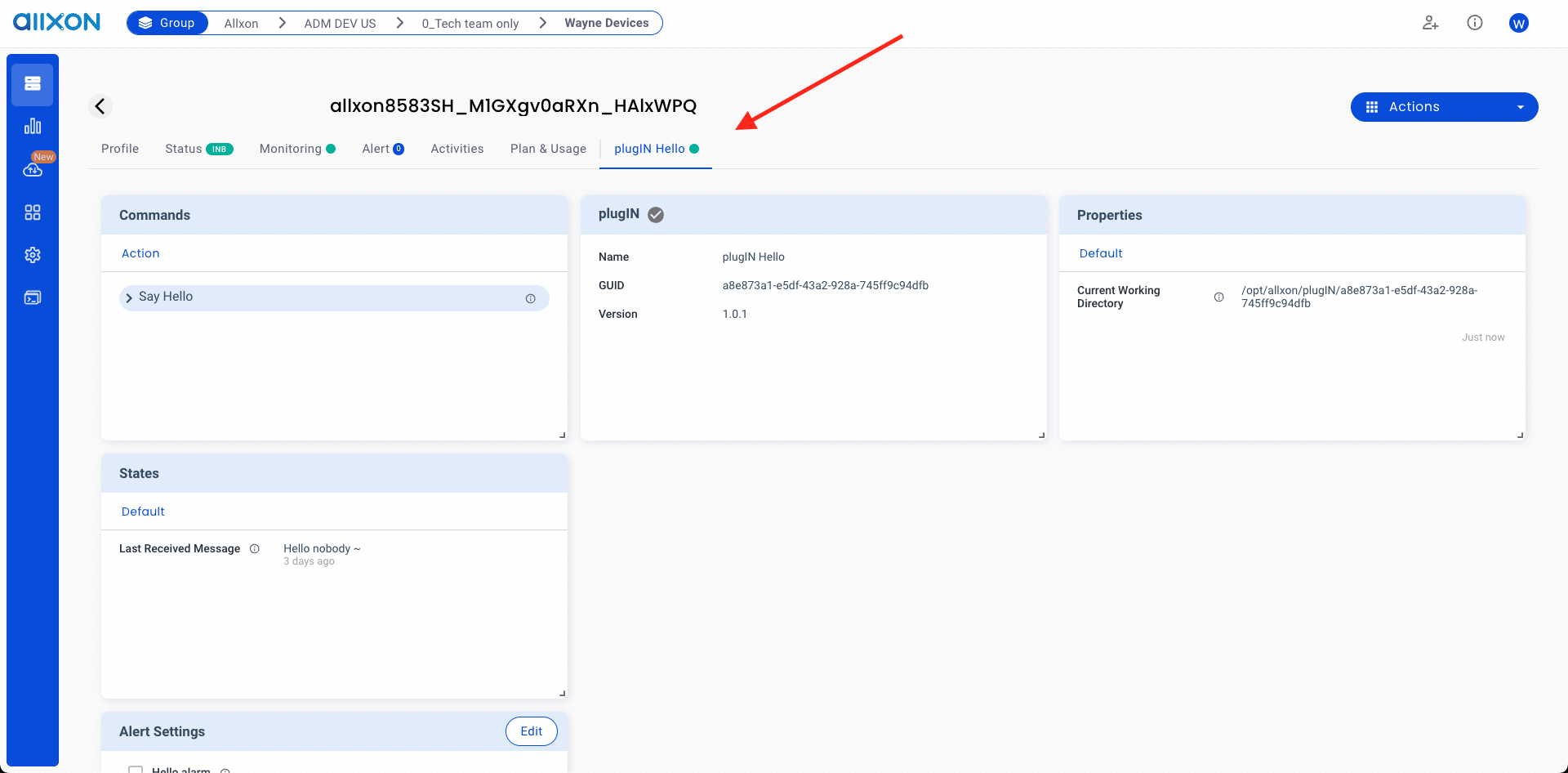
Yay~ 🥳 Now, you should see Hello Plugin online on your device page.